Using GitHub on Raspberry Pi
Each time I setup a new box, be it a new installation of a Raspberry or be it a fresh VM, I need to google a bunch to times to grab commands and a new GitHub dev key to authenticate. Well, this time I’ll try to document the process so new time might be slightly less painstaking. Let’s get started!
Tools needed
gh- use one-liner to install withapt. This is not the same asgitwhich is an easy mistake for us n00bs to make.git- often pre-installed on Debian-based distributions, like with Raspbian.
How to login with gh
- Paste
BROWSER=false gh auth login(since I want to access GitHub from my desktop and not the Pi, I’ll useBROWSER=false)
- Access https://github.com/login/device from desktop
- Use the one-time code
- Allow access and verify with MFA
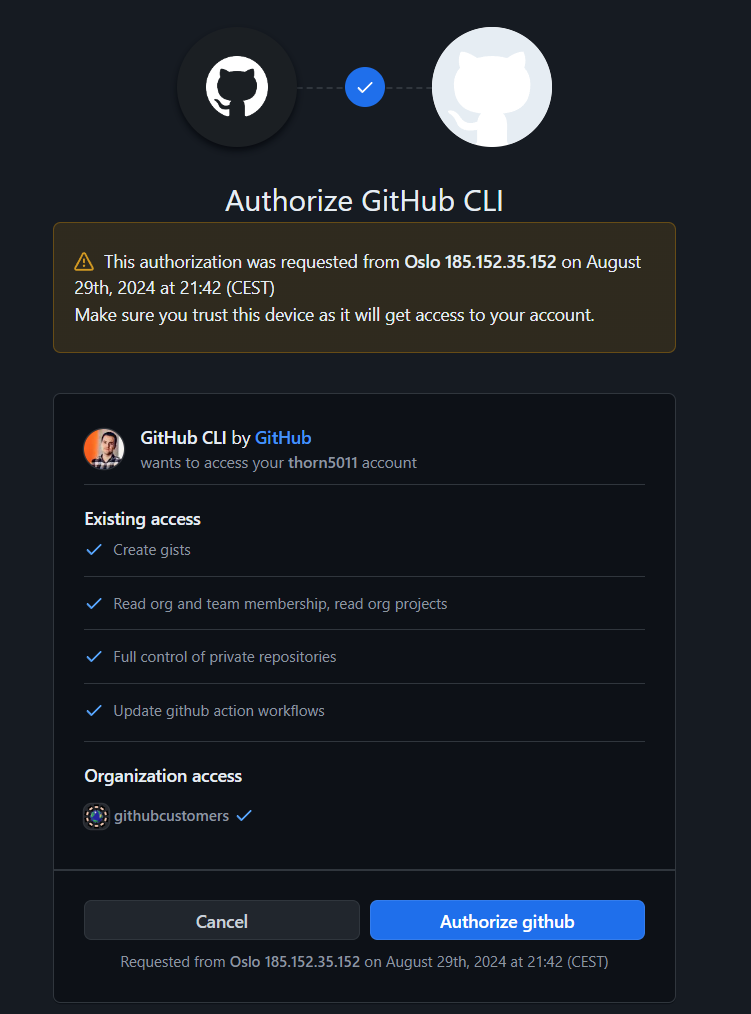
- Success!

But wait, what was that, “..credentials saved in plain text”? Perhaps that is not a surprise once we consider how any authentication schema work but I like that it is clearly stated in this case.
Here is the culprit -> cat $HOME/.config/gh/hosts.yml
github.com:
    users:
        thorn5011:
            oauth_token: gho_TOKEN
    git_protocol: https
    user: thorn5011
    oauth_token: gho_TOKEN
Results
Clone wit ease by using gh repo clone thorn5011/repo_name. Now I can continue to clone, push, pull and use all those wonderful actions without the need to re-authenticate!
$ git add lol123
$ git push
Username for 'https://github.com':
record scratch wait what?! Remeber how gh and git ain’t the same? Ahh, yes..
GitHub: a web-based platform for hosting a collaborating. Owned by MicrosoftGit: an open-source tool for version control owned by the Linux foundation and developed by the G.O.A.T. Linus Torvalds.
That means gh is a tool to interact with GitHub, while git can be used to interact with many other vendors as long as the support git for version control. BUT we can actually use gh to help use setup git; gh auth git-setup 
Conclusion
We can use gh for cloning repos, creating issues, PR etc. For pushing and pulling we still need git. But what is really good is that we can use gh to set up git with:
gh auth git-setup